Getting Started with Trust Wallet: A Complete Guide
Everything You Need to Know to Start with Trust Wallet
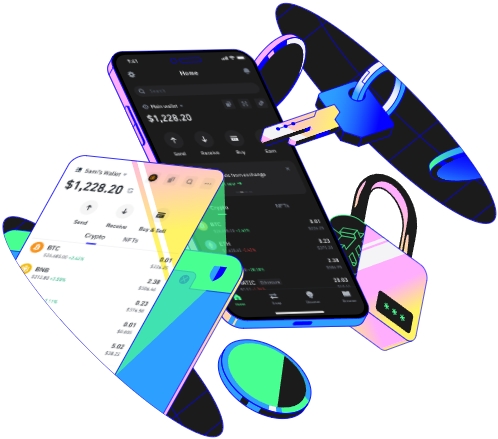
Trust Wallet is a popular cryptocurrency wallet that offers a secure and user - friendly way to manage digital assets. This guide will walk you through the process of getting started with Trust Wallet, from installation to making your first transactions.
First, you need to install Trust Wallet on your device. Trust Wallet is available for both Android and iOS platforms. You can download it from the Google Play Store if you have an Android device or from the Apple App Store if you use an iPhone. Simply search for "Trust Wallet" in the respective app store, and click the install button. The installation process is straightforward and usually takes only a few minutes.
Once the app is installed, open it. The first time you launch Trust Wallet, you'll be presented with two options: create a new wallet or import an existing one. If you're new to cryptocurrency and don't have an existing wallet, choose to create a new wallet. This will generate a new set of private keys and a mnemonic phrase for you.
The mnemonic phrase is a series of 12 or 24 words that act as a backup for your wallet. It's extremely important to write down this phrase and store it in a safe place. If you ever lose access to your wallet, you can use the mnemonic phrase to recover it. Make sure to keep the phrase private, as anyone with access to it can control your funds.
After creating your wallet, you'll need to set up a PIN or use biometric authentication (such as fingerprint or face ID) to secure your access to the app. This adds an extra layer of security to your wallet, ensuring that only you can access your funds.
Trust Wallet supports a wide range of cryptocurrencies, including Bitcoin, Ethereum, and many ERC - 20 tokens. To add a cryptocurrency to your wallet, click on the "+" icon in the wallet interface. You can search for the cryptocurrency you want to add by its name or ticker symbol. Once you find the desired coin, click "Add" to include it in your wallet.
To receive cryptocurrency, you'll need to share your wallet address. In the Trust Wallet app, find the cryptocurrency you want to receive, and click on it. Then, select the "Receive" option. You'll see a QR code and your wallet address. You can either scan the QR code or copy the address and share it with the sender. When the sender transfers the cryptocurrency to your address, it will appear in your wallet once the transaction is confirmed on the blockchain.
Making a cryptocurrency transaction with Trust Wallet is also simple. First, click on the cryptocurrency you want to send. Then, select the "Send" option. Enter the recipient's wallet address or scan their QR code. Next, enter the amount of cryptocurrency you want to send. You can also set the transaction fee, which determines how quickly your transaction will be processed on the blockchain. Higher fees usually result in faster confirmations.
Trust Wallet also has a built - in decentralized exchange (DEX). This allows you to swap one cryptocurrency for another directly within the app. To use the DEX, click on the "Swap" option in the app. Select the cryptocurrency you want to swap from and the one you want to swap to. Enter the amount you want to swap, and review the details. Once you're satisfied, click "Swap" to complete the transaction.
Another useful feature of Trust Wallet is staking. Staking allows you to earn rewards by holding certain cryptocurrencies in your wallet. To stake a cryptocurrency, go to the staking section in the app. Select the cryptocurrency you want to stake and follow the instructions provided. Different cryptocurrencies have different staking requirements and reward rates.
When it comes to security, Trust Wallet uses industry - standard encryption to protect your private keys and transactions. However, it's still important to follow best practices. Avoid using public Wi - Fi when making transactions, and regularly update your app to the latest version. Additionally, be cautious of phishing scams. Never share your private keys or mnemonic phrase with anyone.
Trust Wallet also offers integration with decentralized applications (dApps). You can access a variety of dApps directly from the app, such as decentralized finance (DeFi) platforms, gaming apps, and non - fungible token (NFT) marketplaces. To access dApps, click on the "Browser" tab in the app and explore the available options.
Finally, it's a good idea to keep track of your transactions and portfolio. Trust Wallet provides a transaction history and a portfolio overview. You can see details about each transaction, including the date, amount, and recipient. The portfolio overview shows the value of your cryptocurrency holdings and how it has changed over time.
By following these steps and exploring the various features of Trust Wallet, you'll be well on your way to becoming a confident cryptocurrency user. Whether you're a beginner or an experienced trader, Trust Wallet offers a convenient and secure way to manage your digital assets.
TAG: your Trust Wallet cryptocurrency
