How to Swap Tokens Using Built-in DEX
Step - by - Step Process for Token Exchange
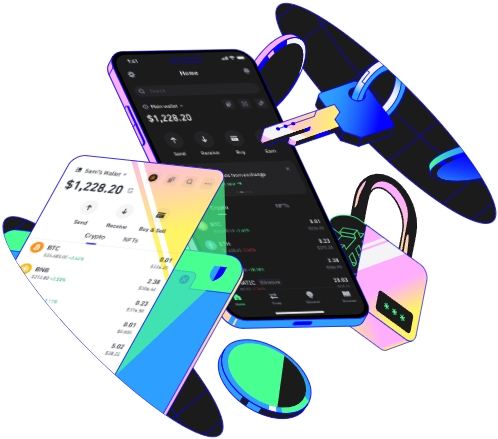
Token swapping has become an integral part of the cryptocurrency ecosystem, and using a built - in Decentralized Exchange (DEX) offers a secure and efficient way to exchange tokens. In this guide, we will walk you through the process of swapping tokens using a built - in DEX.
Before starting the token - swapping process, it is crucial to understand what a built - in DEX is. A built - in DEX is a decentralized exchange integrated directly into a wallet or a platform. It allows users to swap tokens without the need for a centralized intermediary, providing more control over funds and enhancing privacy. The built - in nature means that it is seamlessly integrated into the user interface, making the swapping process more user - friendly.
The first step in swapping tokens using a built - in DEX is to choose a suitable wallet or platform that has a built - in DEX. Popular wallets like MetaMask, Trust Wallet, and Atomic Wallet offer built - in DEX functionality. These wallets support a wide range of tokens and are well - known for their security features. When selecting a wallet, consider factors such as the number of supported tokens, user reviews, and the security measures in place.
Once you have chosen a wallet with a built - in DEX, the next step is to set up your wallet. If you are using a new wallet, you will need to create a new account. This usually involves generating a seed phrase, which is a series of words that act as a backup for your wallet. Make sure to store this seed phrase in a safe place, as it is the key to accessing your funds. After creating an account, you may need to connect your wallet to the blockchain network. This is typically done by selecting the appropriate network in the wallet settings, such as Ethereum, Binance Smart Chain, or Polygon.
After setting up your wallet, you need to fund it with the tokens you want to swap. You can transfer tokens from another wallet or exchange to your built - in DEX wallet. To do this, you will need to obtain your wallet address, which is a unique string of characters. On the sending platform, enter your wallet address and the amount of tokens you want to transfer. The transfer process may take some time, depending on the blockchain network's congestion.
Once your wallet is funded, it's time to start the token - swapping process. Open your wallet and locate the built - in DEX feature. In most wallets, this can be found in the main menu or a dedicated trading section. When you access the DEX, you will see a user interface that allows you to select the tokens you want to swap. On one side, choose the token you want to send (the input token), and on the other side, select the token you want to receive (the output token).
Before confirming the swap, it is important to check the exchange rate. The exchange rate determines how many output tokens you will receive for a given amount of input tokens. Built - in DEXs usually display the current exchange rate and the estimated amount of output tokens you will get. You can also adjust the slippage tolerance. Slippage refers to the difference between the expected exchange rate and the actual rate at which the swap is executed. A higher slippage tolerance allows for more flexibility in the exchange rate but also increases the risk of getting a less favorable rate.
After reviewing the exchange rate and slippage tolerance, enter the amount of input tokens you want to swap. Some DEXs also allow you to enter the amount of output tokens you want to receive, and the system will calculate the corresponding amount of input tokens. Once you have entered the amount, double - check all the details, including the tokens, amounts, and exchange rate.
When you are satisfied with the details, click the "Swap" or "Confirm" button. Your wallet will then prompt you to sign the transaction. This is a security measure that verifies your identity and authorizes the transfer of tokens. After signing the transaction, the built - in DEX will execute the swap on the blockchain. The time it takes for the swap to be completed depends on the blockchain network's congestion and the complexity of the transaction.
After the swap is completed, you can check your wallet balance to confirm that you have received the output tokens. You can also view the transaction details on the blockchain explorer. Most blockchains have an explorer where you can enter your wallet address or transaction ID to view the details of the transaction, including the amount of tokens transferred and the timestamp.
It is important to note that token swapping on a built - in DEX involves some risks. The cryptocurrency market is highly volatile, and the exchange rate can change rapidly. Additionally, there may be smart contract risks, such as bugs or vulnerabilities in the DEX's smart contract. To mitigate these risks, it is recommended to do thorough research before swapping tokens, only use well - established wallets and DEXs, and keep your wallet software up - to - date.
In conclusion, swapping tokens using a built - in DEX is a convenient and secure way to exchange cryptocurrencies. By following the steps outlined in this guide, you can safely and efficiently swap tokens and participate in the dynamic world of cryptocurrency trading.
TAG: tokens wallet DEX built your exchange rate swap swapping will
