Why Can\'t I See My Tokens After Transferring to Trust Wallet?
Reasons and Solutions for Invisible Tokens
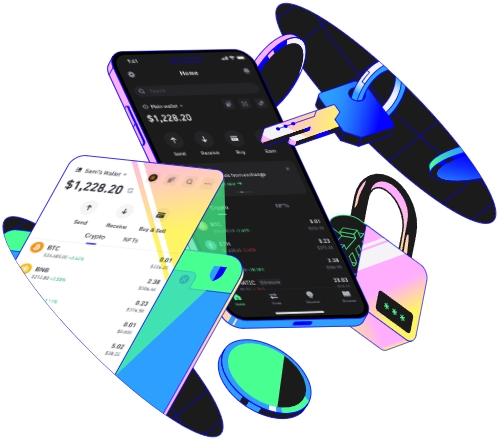
When you transfer tokens to your Trust Wallet and find that they are not visible, it can be a source of great concern. One of the primary reasons could be a network congestion issue. Blockchain networks can become overloaded, especially during times of high trading activity. For example, in the Ethereum network, when there are a large number of transactions being processed simultaneously, it can cause delays in the confirmation of your token transfer. This means that although you have initiated the transfer, the tokens may not be officially credited to your Trust Wallet until the network catches up. As a result, they won't appear in your wallet balance. To address this, you can wait for some time. Usually, after a few hours or even a day, depending on the severity of the congestion, the tokens should show up. You can also check the network status on blockchain explorers to see if there are any ongoing issues.
Another possible factor is an incorrect token address or contract. When transferring tokens, you need to ensure that you have entered the correct recipient address and token contract. A single wrong digit in the address can lead to the tokens being sent to an unknown or incorrect wallet. Similarly, if the token contract is misconfigured, Trust Wallet may not recognize the tokens properly. For instance, if you are transferring an ERC - 20 token, you must use the correct ERC - 20 contract address. To avoid this problem, double - check all the details before initiating the transfer. If you suspect that you have used the wrong address or contract, you may need to contact the sender or the support team of the token project to see if there is any way to recover the tokens.
Trust Wallet settings can also play a role in the visibility of your tokens. Sometimes, certain tokens may be hidden in the wallet settings. Trust Wallet allows users to customize which tokens are displayed. You might have accidentally toggled the visibility option for the tokens you transferred. To check this, open your Trust Wallet, go to the token list, and look for an option to show hidden tokens. If your tokens are in this hidden list, simply select them to make them visible. Additionally, make sure that the wallet is set to the correct network. For example, if you transferred Binance Smart Chain tokens, the wallet should be set to the Binance Smart Chain network. Otherwise, the tokens won't be displayed correctly.
Token compatibility can be a significant issue as well. Not all tokens are fully compatible with Trust Wallet. Some newly created or less - popular tokens may have technical glitches or may not follow the standard protocols that Trust Wallet supports. For example, if a token uses a non - standard smart contract code or has unique transfer rules, it may not integrate smoothly with Trust Wallet. In such cases, you can try reaching out to other users who hold these tokens or join relevant token communities. They may have encountered similar issues and could provide insights on how to make these tokens visible in your wallet.
If none of these solutions work, it could be a problem with the wallet itself. There may be a software bug or an update issue. Try updating your Trust Wallet to the latest version. Sometimes, developers release updates to fix bugs and improve token compatibility. If the problem persists after the update, you can contact the Trust Wallet support team directly. They have the expertise to diagnose and resolve more complex issues related to token visibility. Provide them with detailed information about the transfer, such as the token type, transfer amount, and the time of transfer. This will help them to better understand and address your problem.
