How to Use the Trust Wallet Swap Feature
A Step-by-Step Guide to Using Trust Wallet Swap
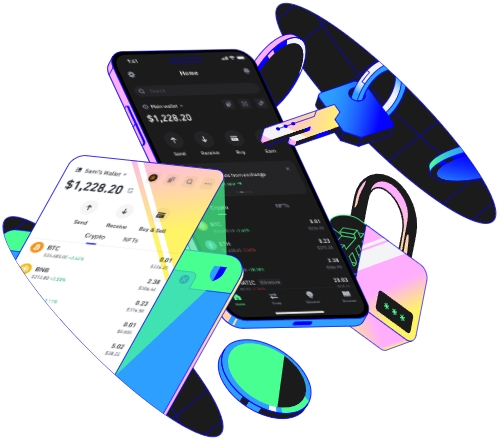
Trust Wallet is a popular cryptocurrency wallet that offers a convenient swap feature, allowing users to exchange one cryptocurrency for another directly within the wallet. This feature simplifies the process of trading and provides a seamless experience for users. To start using the Trust Wallet swap feature, the first step is to ensure that you have downloaded and installed the Trust Wallet app on your mobile device. The app is available for both iOS and Android platforms. Once installed, open the app and set up your wallet by following the on - screen instructions. You may need to create a new wallet or import an existing one using your private key or recovery phrase.
After setting up your wallet, you need to fund it with some cryptocurrency. You can do this by depositing coins from an external wallet or an exchange. To deposit funds, go to the wallet's main screen and select the cryptocurrency you want to deposit. Then, copy the wallet address provided and use it to transfer funds from your source. It's important to double - check the address to avoid any mistakes, as cryptocurrency transactions are irreversible. Once the funds are in your wallet, you're ready to use the swap feature.
To access the swap feature, open the Trust Wallet app and tap on the "Swap" button at the bottom of the screen. On the swap screen, you'll see two sections: one for selecting the cryptocurrency you want to swap from (the "From" section) and another for selecting the cryptocurrency you want to swap to (the "To" section). In the "From" section, choose the coin you currently have in your wallet. You can scroll through the list of available cryptocurrencies or use the search bar to find the specific coin you want. Once you've selected it, enter the amount you wish to swap.
The next step is to select the cryptocurrency you want to receive in the "To" section. Similar to the "From" section, you can browse through the list or use the search function. After choosing the target coin, the app will display an estimated exchange rate and the amount of the target coin you'll receive based on the amount you're swapping. It's important to note that the exchange rate can fluctuate due to market conditions. Before proceeding, review all the details carefully, including any fees associated with the swap. Trust Wallet usually shows the fees clearly so that you know exactly how much you'll be charged.
Once you're satisfied with the details, tap the "Swap" button. The app will then prompt you to confirm the transaction. Confirming the swap will initiate the process, and the app will communicate with the relevant decentralized exchanges (DEXs) to execute the trade. Depending on the network congestion and the specific cryptocurrencies involved, it may take some time for the transaction to be completed. You can track its progress within the app. After the swap is successful, you'll see your new cryptocurrency balance updated in your wallet.
In addition to the basic steps, there are some tips to make the most of the Trust Wallet swap feature. First, always keep an eye on market prices. Cryptocurrency prices are highly volatile, and timing your swap can make a significant difference in the amount of coins you receive. Second, be aware of the slippage tolerance. Slippage refers to the difference between the expected price of a trade and the actual price at which it is executed. You can adjust this tolerance in the app settings according to your risk preference. Finally, ensure that your device has a stable internet connection during the swap process to avoid any interruptions. By following these steps and tips, you can smoothly use the Trust Wallet swap feature for your cryptocurrency trading needs.
